Moving two WooCommerce stores to Shopify in one project
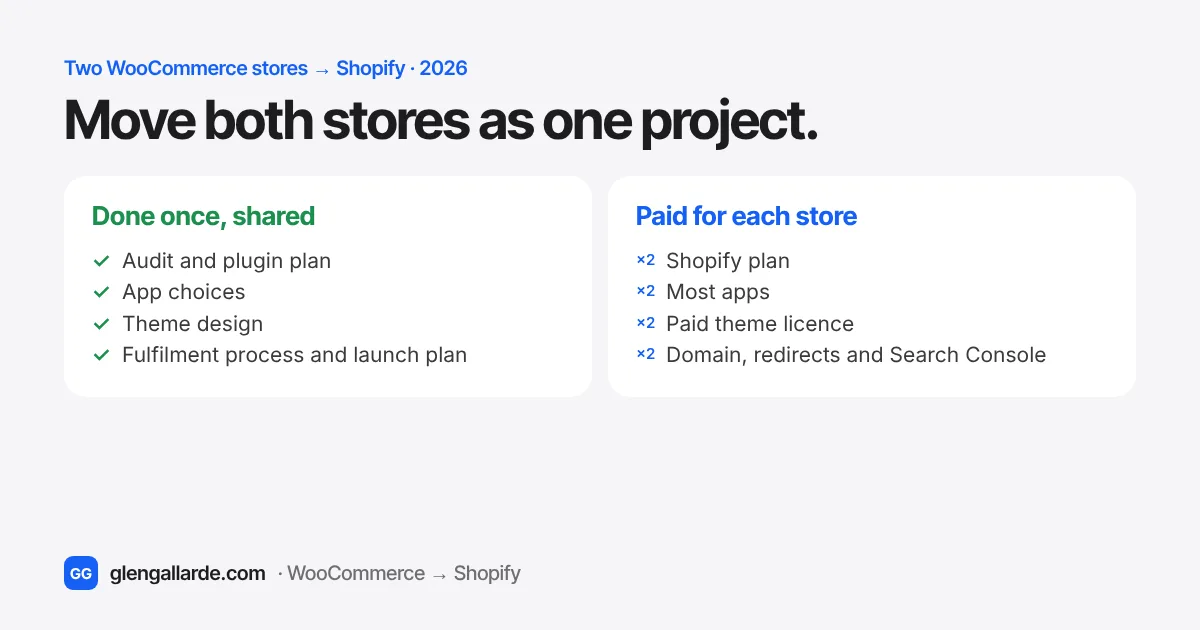
If the two stores are different brands, keep them as two Shopify stores and manage both from one Shopify organization, with one login and one billing view. Move them as one project: one audit, one set of app choices, one theme design adapted for each brand and one fulfilment plan. Then launch the simpler store first. Each store still needs its own Shopify plan, most apps bill per store, and a paid theme needs a licence for each store. If it's the same brand selling in different countries, you usually want one store with Shopify Markets instead.
Plenty of WooCommerce owners don't run just one store. There's the main shop and a sister brand, a retail site and a gift site, or a family business with a second store that grew out of the first. Often both run on the same WordPress setup, the same page builder and sometimes the same custom plugin.
When it's time to move to Shopify, the usual mistake is to treat them as two unrelated projects. You pay twice for the same audit and design thinking, and you end up with two stores that drift apart. You can also make the opposite mistake and squeeze two brands into one Shopify store, then fight it every day. Here's how to decide, and how to plan the move so that the second store costs much less effort than the first.
One Shopify store or two?
Start here, because it changes everything else. A Shopify store has one brand, one theme, one checkout and one customer list. Shopify Markets lets that one store sell in several countries with local currencies, languages and domains. It doesn't let one store look and feel like two different brands.
| Your situation | What usually works on Shopify |
|---|---|
| Same brand, different countries or currencies | One store with Shopify Markets |
| Two brands with their own names, looks and customers | Two stores in one Shopify organization |
| A main store plus a curated store selling partners' products | Two stores, so each has its own catalogue, rules and minimum order |
| The same products sold retail and wholesale | One store with a wholesale app, or B2B features on Shopify Plus |
| A second WooCommerce site that's really just a landing page | Fold it into the main store as a collection or landing page, and redirect the old domain |
The simplest test is to ask whether a customer of one store would be confused to land on the other. If they would, keep two stores.
What two stores can share, and what you pay twice
On any plan, you can group your stores in an organization in Shopify's admin. It gives you one place to add staff, set security rules and see billing for every store. It doesn't merge the stores: each one keeps its own products, customers, orders and settings.
| Item | Shared or per store? | What to know |
|---|---|---|
| Shopify plan | Per store | Each store pays its own plan. The two stores don't need to be on the same plan. |
| Apps | Mostly per store | App subscriptions are billed to each store that installs them. Some app makers give a multi-store discount if you ask. |
| Theme | Design shared, licence per store | Shopify's free themes cost nothing on either store. A paid theme from the Theme Store needs a licence for each store. |
| Customer accounts | Per store | A customer of one store isn't a customer of the other. Sign-in uses an email code on each store. |
| Staff and billing view | Shared | One organization login sees both stores. Staff can have access to one store or both. |
| Stock in one warehouse | Needs a link | If both stores sell the same physical stock, an inventory sync app or your fulfilment software has to keep counts in step. |
| Domain, redirects and Search Console | Per store | Each domain gets its own redirect map and its own Search Console check after launch. |
The real savings come from the work, not the subscriptions. The audit, the plugin-by-plugin plan, the app choices, the theme design, the test plan and the training are done once and reused. That's where a combined project costs less than two separate ones.
If both stores use the same custom plugin
Sister stores often share something custom: an order fulfilment tool, a delivery scheduler, a product builder or a sync with an accounting system. On WooCommerce that's one plugin installed twice. On Shopify, decide what replaces it once, then apply the answer to both stores.
- A built-in feature or an existing app is the first choice. Local delivery zones, pickup, minimum orders, shipping rules and most order tags and exports are standard, and an app from the Shopify App Store installs on both stores.
- A small custom app is the answer when nothing off the shelf fits. On regular plans, a custom-distributed app is installed on one store, so two stores need it set up twice. On Shopify Plus, one custom app can be installed on several stores in the same organization.
- Your fulfilment software might already connect to Shopify. Many shipping, warehouse and delivery tools have Shopify integrations, which can replace a custom WooCommerce plugin entirely.
Get the original developer's notes or the plugin code before you start, if you can. Knowing what the plugin actually does, rather than what people remember it doing, is often what keeps the replacement small and cheap. My plugin to app finder covers the common plugins. Custom ones need a look at the code.
The order I'd move them in
- One audit for both stores. List every plugin, payment method, shipping rule, integration and recurring cost on each store, side by side. Shared items get one decision.
- One app stack. Choose the same reviews, email, subscription and shipping apps for both, unless a brand truly needs something different. It halves the learning and the support.
- One theme design, two brands. Design and build the theme for the first store, then copy it to the second and change the colours, fonts, logo and homepage. Both stores stay easy for your team to edit.
- Data migrated per store. Products, customers, orders, reviews and blog posts move separately, because they belong to each store.
- Launch the simpler store first. Go live with the smaller or lower-risk store, watch orders, fulfilment and rankings for a week or two, fix what you learn, then launch the main store.
- Redirects and Search Console for each domain. Every old URL on each site gets a 301 redirect, and each domain is watched in Search Console after launch. The redirects guide explains how.
Staggering the launches matters more than it looks. If both stores share a custom fulfilment process, the first launch is your real-world test, and the second store benefits from every fix.
What two stores cost to run
On Shopify's standard pricing, each store pays its own plan: Basic is $39 a month, Grow $105 and Advanced $399 if you pay monthly, about 25% less if you pay yearly. Two stores on Basic cost $78 a month, before apps. The pricing and fees guide has the full breakdown.
Then add the apps you need on each store. This is where costs creep up, so the audit should list every app and plugin you pay for now and what replaces it. Many WooCommerce stores pay separately for hosting, a caching plugin, a security plugin, backups, an SEO plugin and premium extensions on each site. On Shopify most of those disappear, and it's common for a two-store business to end up paying less in total, even with two Shopify plans. Compare it with your real numbers in the cost calculator.
When Shopify Plus makes sense
Shopify Plus includes up to 9 expansion stores, shared organization tools, B2B features and custom apps that install across stores. It also costs from about $2,300 to $2,500 a month depending on the contract term, and each live expansion store still needs its own theme licence. For two stores doing a few hundred orders a month, two standard plans are almost always the better deal. Plus starts to make sense with high revenue, several brands or countries, or wholesale needs. The Shopify Plus guide has the break-even maths.
Questions to ask before you hire someone
- Will you quote both stores together, and what work is shared between them?
- Should these be one store or two, and why?
- What replaces our custom plugin, and will it work on both stores?
- How will stock stay in step if both stores sell from the same place?
- Which store launches first, and how long do you wait before the second?
- Which of our current monthly costs go away after the move, and what's new?
- Will our team be able to edit both stores without a developer?
For the rest of the vetting questions, see how to hire a migration expert.
Questions
Can I run two stores from one Shopify account?
Yes. Your Shopify account connects every store you own, and an organization lets you see and manage them together, with shared staff access and billing in one place. Each store is still its own store, with its own plan, products, customers and orders.
Do I need two Shopify plans for two stores?
Yes, each store has its own plan, and they can be on different plans. Shopify Plus is the exception that includes expansion stores, but it costs from about $2,300 a month, so it only pays off for large businesses.
Can I use the same Shopify theme on both stores?
Yes. Shopify's free themes can be used on as many stores as you like. A paid theme from the Shopify Theme Store needs a licence for each store, so you buy it twice. The design work itself can be reused, so the second store's theme takes far less time.
Is it cheaper to migrate two stores together?
Usually, yes. The audit, app choices, theme design, testing and training are done once and reused for the second store. Each store's data, redirects and launch still need their own work, so it's not half price, but it's well below two separate projects.
Should I merge my two WooCommerce stores into one Shopify store?
Only if they're really the same brand. Shopify Markets handles one brand in several countries well. Two brands with different looks, customers and rules are better as two stores in one organization, so each keeps its own identity and checkout.
Sources
- Shopify Help Center, managing multiple stores, organization settings and creating stores
- Shopify Help Center, Shopify Plus plan (expansion stores and theme licences)
- Shopify developer changelog, install custom apps on multiple Shopify Plus stores, and app distribution methods
- Maestrooo, theme licensing and transfers (Theme Store licences are one per store)
- Shopify pricing