WooCommerce to Shopify migration tools compared: which one should you use?
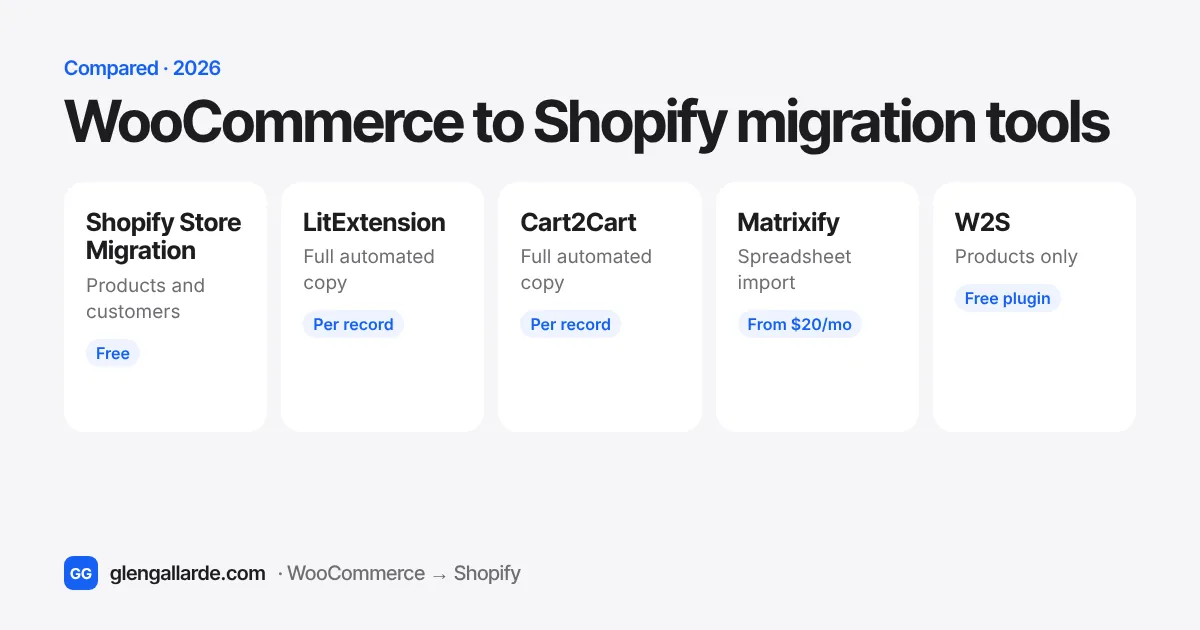
For a simple store, Shopify's free Store Migration app moves products and customers. To copy everything automatically, including orders, reviews, blog posts and redirects, use LitExtension or Cart2Cart, which charge by the number of records. Pick Matrixify if you want full control through spreadsheets. W2S is a free WordPress plugin that only moves products. None of them does the whole migration: the theme, apps, payments and testing are still on you.
Search for "WooCommerce to Shopify migration app" and most of the results were written by the companies that sell one. That doesn't make them wrong, but each one ends the same way: their tool wins.
I move WooCommerce stores to Shopify for a living, so I end up working with these tools, or around them. Here's what each one actually moves, where each one falls short, and how I'd choose between them for your store. I don't earn anything from any of them, and none of the links below are affiliate links.
The tools at a glance
| Tool | How it works | Price | Moves | 301 redirects |
|---|---|---|---|---|
| Shopify Store Migration | Shopify app. Connects to WooCommerce or takes CSV files | Free | Products, customers | No |
| LitExtension | Connects both stores and copies automatically | Per record, free demo | Products, customers, orders, reviews, coupons, pages, blog posts | Yes, as an option |
| Cart2Cart | Connects both stores and copies automatically | Per record, free demo | Products, customers, orders, reviews, coupons, pages, blog posts | Yes, as an option |
| Matrixify | Shopify app. Imports spreadsheets and exports | Free for 10 items, then $20, $50 or $200 a month | Almost anything you can put in a spreadsheet | Yes, you supply the list |
| W2S | WordPress plugin. Pushes products to Shopify | Free, with a paid Pro version | Products, categories, tags | No |
Prices, limits and ratings as listed by each tool on 6 November 2026. They change, so check before you buy.
Shopify Store Migration (free, by Shopify)
Shopify's own Store Migration app imports products and customers from WooCommerce and several other platforms. You can connect your WooCommerce store for a guided import, or upload the CSV files WooCommerce exports. You review everything in Shopify before it goes live.
Good: it's free and made by Shopify. For a small catalogue with simple products, it's a sensible first try.
Watch out for: it doesn't bring over orders, reviews, blog posts or redirects. Its App Store rating sits at 3.2 out of 5 from 78 reviews, and the complaints are about imports that stop with vague errors or arrive without images. Shopify's own listing warns that some platforms "don't export all data", so expect to tidy things up afterwards.
Use it if: you have a simple store, you're happy to start without order history, and you want to spend nothing on the data move.
LitExtension
LitExtension connects to both stores and copies products, categories, customers, orders, coupons, reviews, CMS pages and blog posts. Optional extras include creating 301 redirects, keeping your order numbers, and moving images embedded in descriptions. It has a 4.8 rating from 326 reviews on the Shopify App Store.
Good: it moves almost everything in one run, and it includes a free demo, free "recent data" top-ups for the orders that come in while you build, and a 30-day money-back guarantee. There's also a done-for-you service tier.
Watch out for: the price is calculated from how many products, customers, orders and posts you have, so a store with years of orders pays far more than a new one. Its own page says customer and order migration needs Shopify's Grow plan or higher, or its separate CSV service. Check that before you pick a plan. Customer passwords don't move, which no longer matters on Shopify (more on that here).
Use it if: you want a full copy with order history and reviews, and you're happy to check the results yourself.
Cart2Cart
Cart2Cart has been doing store migrations since 2009 and works much like LitExtension. It moves products, categories, customers, orders, coupons, reviews, blog posts and CMS pages, with optional extras for 301 redirects, keeping order numbers, and moving description images. A free demo moves a small sample first.
Good: it's mature and well documented, and it offers a "recent data" migration for orders that arrive after the main copy, plus a paid remigration option. Choosing every extra option gets a discount.
Watch out for: pricing is per record, just like LitExtension, so get an estimate from its calculator. Its own page says variants are capped at 99 per product with 3 options. Shopify itself now allows up to 2,048 variants, so check whether your bigger products will come across whole. Reviews need a reviews app installed in Shopify first.
Use it if: you want a full automated copy and its estimate for your store comes in lower than LitExtension's. Get quotes from both. It takes five minutes.
Matrixify
Matrixify is a different kind of tool. It doesn't log into WooCommerce. You give it spreadsheets or exports, and it imports them into Shopify: products, collections, customers, orders, discounts, pages, blog posts, menus, redirects, metafields and more. It's rated 4.9 from 1,861 reviews, and it's the bulk tool most Shopify developers keep installed.
Plans are priced by how much each file holds: free for 10 items of each type, then Basic at $20 a month (5,000 products, 2,000 customers, 1,000 orders), Big at $50 a month (50,000 products, 20,000 customers, 10,000 orders), and Enterprise at $200 a month for no limits. You only need it for the month you migrate.
Good: you see and control every row before it goes in. It's excellent for importing your redirect list, fixing data in bulk, and re-running a single import without starting over.
Watch out for: it's only as good as your spreadsheet. Someone has to map WooCommerce's columns to Shopify's, and that's real work the first time.
Use it if: you're comfortable in spreadsheets, or you're doing the migration properly and want control over every field.
W2S (free WordPress plugin)
W2S, by VillaTheme, runs inside WordPress and pushes your products, categories and tags to Shopify through an API key. It has more than 1,000 active installs and a 3.7 out of 5 rating on WordPress.org. The free version's listing doesn't mention customers or orders.
Use it if: you only need products copied and want to try something free from the WordPress side. Take a full backup first, as you should before installing any plugin on a live store.
What no migration tool does for you
This is the part the tool makers don't put on their homepages. A migration app copies data. A migration is much more than that.
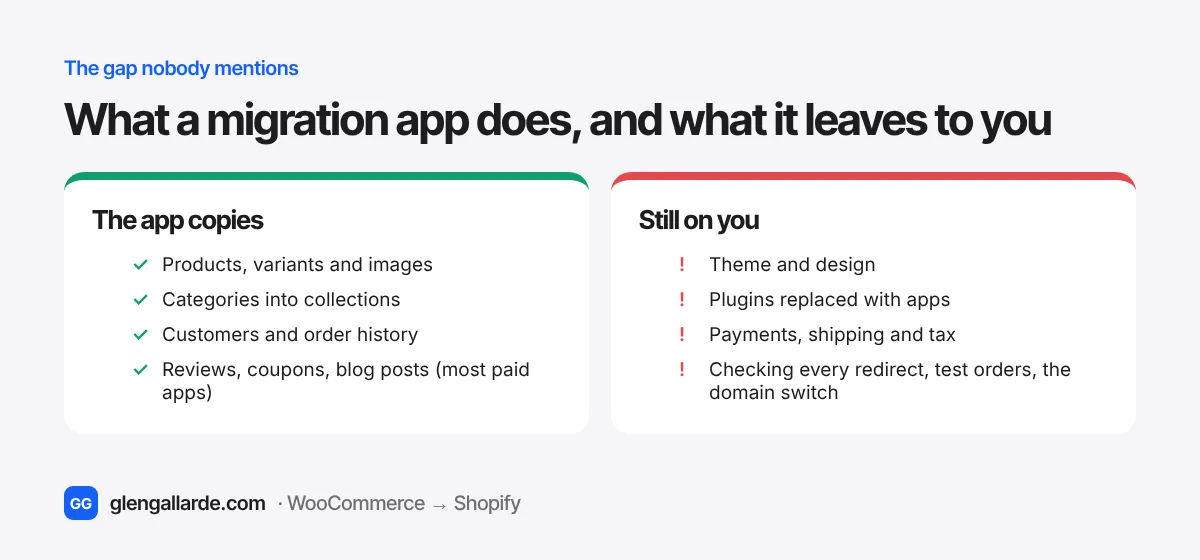
- Your theme and design. Nothing carries your WooCommerce look across. You choose a Shopify theme and set it up.
- Your plugins. Every plugin needs a Shopify app or a built-in feature to replace it. The free plugin to app finder does the matching.
- Payments, shipping and tax. These are set up fresh in Shopify and need testing with real orders.
- Redirects that actually work. Even the tools that create 301 redirects can't check them for you, and Shopify skips some paths entirely. See how Shopify redirects work, or build the list with the free redirect generator.
- Launch day. Switching the domain, keeping your email working, and checking Search Console afterwards.
That's why "the app costs $200" and "the migration costs $200" aren't the same thing. The app, DIY or hire guide compares the three routes, and the 36-step checklist lists everything a full migration involves.
How to choose
| Your store | Start with |
|---|---|
| Under a few hundred simple products, no need for old orders | Shopify Store Migration (free), then fix what's missing by hand |
| You want order history, reviews and blog posts moved | Run the free demo on both LitExtension and Cart2Cart, then pick the better result and price |
| Large catalogue, custom fields, or you want control | Matrixify |
| Subscriptions, bookings or memberships | None of these on their own. Subscriptions need their own plan. See migrating WooCommerce Subscriptions |
| You'd rather not do any of it | A fixed-price migration, where someone else uses these tools and handles the rest |
Tips for a clean import, whichever tool you use
- Run the free demo first. Check a few products with variants, a customer with several addresses, and an old order, side by side with WooCommerce.
- Import in this order: products, then customers, then orders. Shopify's own guidance says that's how they link up correctly.
- Turn off staff order notifications before importing orders. Shopify says each imported historical order can send a "new order" email to your staff. Thousands of old orders means thousands of emails.
- Check products with more than 3 options. Shopify allows 3 options per product. A WooCommerce product with a fourth attribute needs restructuring before or after import.
- Keep your product slugs the same. It makes every redirect a simple pattern.
- Count before and after. Products, variants, customers and orders should match. If they don't, find out why before launch, not after.
- Plan a top-up on launch day. Orders keep coming in while you build. Use the tool's "recent data" option, or export the new orders, right before you switch the domain.
Questions
What is the best app to migrate WooCommerce to Shopify?
There isn't one best app. For a free, simple move, Shopify's Store Migration app. For a full automated copy with orders and reviews, LitExtension or Cart2Cart, so compare both demos. For control and large catalogues, Matrixify. Pick by what you need to move, not by star ratings.
Is there a free way to migrate WooCommerce to Shopify?
Yes, for products and customers: Shopify's Store Migration app is free, and so is the W2S plugin for products. Shopify's own CSV importer is free too. Moving orders, reviews and blog posts usually needs a paid tool or a lot of spreadsheet work.
Can migration apps move customer passwords?
Cart2Cart offers a password option, but you don't need it. Shopify's customer accounts now use a one-time email code instead of a password. Customers sign in with their email and see their past orders. See what happens to customer passwords.
Will a migration app keep my Google rankings?
Only if the redirects are complete and correct. LitExtension and Cart2Cart can create 301 redirects as an option, and Matrixify imports a redirect list you supply. Either way, check them yourself after launch. The SEO migration guide covers what to check.
How long does an app migration take?
The copy itself usually takes minutes to a few hours, depending on how many orders you have. The work around it takes longer: theme, apps, payments, testing and launch. See how long a migration takes.
Sources
- Shopify App Store listings for Store Migration, LitExtension and Matrixify (features, plans and ratings, 6 November 2026)
- LitExtension WooCommerce to Shopify page and Cart2Cart WooCommerce to Shopify page (entities, options, limits)
- W2S on WordPress.org (features, installs, rating)
- Shopify Help Center, Migrating to Shopify (import order and order notifications)