Moving a food or perishable WooCommerce store to Shopify
Shopify handles most of what a food store needs out of the box: local delivery zones with their own minimum order and price, local pickup, and shipping rates by weight or order value. What it doesn't do on its own is limit which days perishable orders ship, or let customers pick a delivery date. A delivery date app covers both. Subscription boxes need a subscription app. Plan the move for a quiet month, test every delivery and shipping option with real orders, and keep your reviews, because food buyers rely on them.
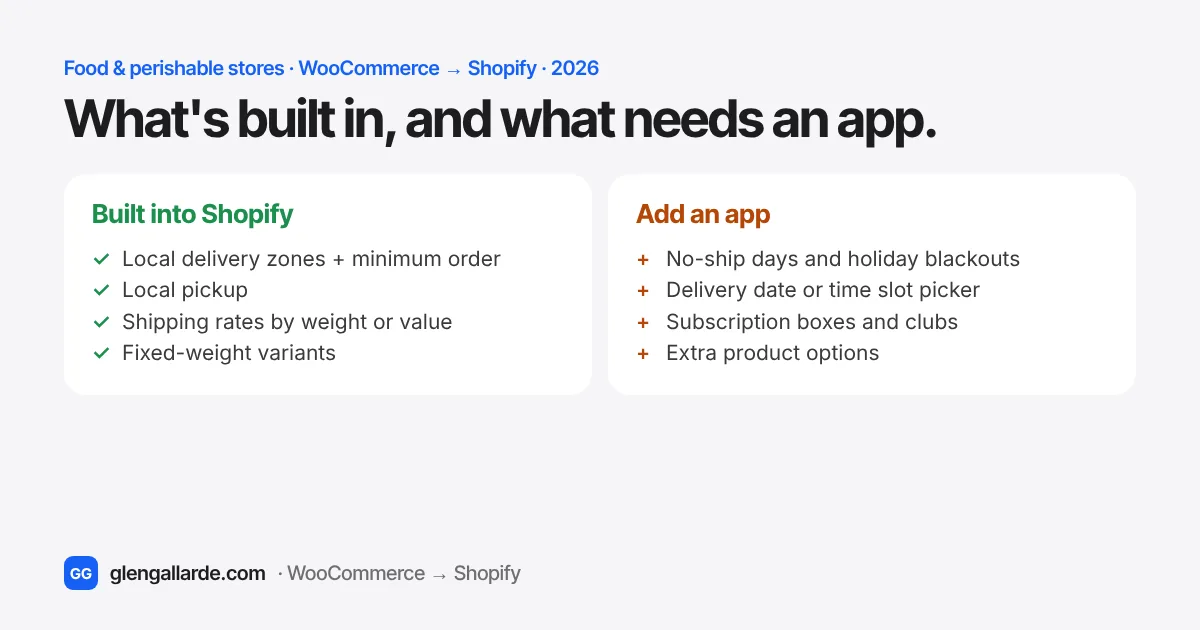
Food stores are some of the most interesting WooCommerce sites to move. A butcher, cheese shop, bakery or specialty grocer usually has rules that a clothing store never needs: no shipping on Thursdays, ice packs in summer, local delivery only within a few postcodes, a minimum order for delivery, and products sold by weight. Many of these were built with a mix of plugins and custom code over the years.
The good news is that Shopify covers more of this than most owners expect. Here's what moves where.
What food stores use, and where it goes on Shopify
| What your WooCommerce store does | On Shopify |
|---|---|
| Local delivery to certain postcodes or a radius | Built in: local delivery zones by postcode or distance |
| Minimum order for delivery | Built in for local delivery zones. For shipped orders, an order limits app. |
| Store or market pickup | Built in: local pickup for each location |
| Shipping price by weight or order value | Built in: shipping rates and shipping profiles |
| No shipping on certain days, holiday blackout dates | A delivery date app |
| Customer picks a delivery date or time slot | A delivery date app |
| Cold pack or insulated box fee | A shipping rate, or an add-on product added by an app |
| Products sold by weight or cut | Variants, with options added by an app if you need more |
| Gift messages and gift boxes | Order notes in the cart, or a gift options app |
| Subscription boxes and clubs | A subscription app |
For your other plugins, the plugin to app finder lists the usual Shopify replacement. If something was custom-built, read what happens to custom WooCommerce plugins.
Shipping days and delivery dates
This is the one big gap. Shopify's checkout doesn't know that perishable orders shouldn't ship on a Thursday and sit in a depot over the weekend. Delivery date apps from the Shopify App Store fill it. The better ones let you:
- block shipping or delivery on chosen weekdays and holidays,
- set a cut-off time for next-day dispatch,
- apply different rules to different products, so frozen items follow stricter days than dry goods,
- let customers choose a delivery date or time slot, and show it on the order for packing.
List your current rules before you choose one, and check the app shows the date where your packing team will see it: on the order, the packing slip and any export to your shipping software.
Local delivery, pickup and minimum orders
Shopify's local delivery is built in. You draw the delivery area by postcode or by distance from your shop, and each zone can have its own delivery price and minimum order value. Customers can add delivery instructions at checkout. Local pickup is built in too, for each shop or market where customers collect.
If your WooCommerce store sets a minimum order for all orders, not only local delivery, that needs an order limits app. Hard rules inside the checkout itself need Shopify Plus.
Sold by weight, cuts and options
Most food stores sell fixed weights, such as a 1 lb pack or a 2 kg box, and those become variants on Shopify. Each product can have up to three options, such as weight, cut and pack size, with many variants. Choices that don't change stock, like "slice thin" or a gift message, are better as product options from an options app. True catch-weight selling, where the final price depends on the weighed item, needs a specialist app or a "price per pound, adjusted after packing" process, so check how your store handles this today.
Subscription boxes and clubs
Monthly boxes, steak clubs and VIP clubs move to a Shopify subscription app. Whether your subscribers keep their saved cards depends on your payment gateway, so read the subscriptions migration guide before you choose. If you're picking an app, the subscription app comparison covers prices and which apps import WooCommerce subscribers.
For food boxes, check that the app's billing dates line up with your shipping days, so a box doesn't bill on a Friday and sit until Monday.
When to launch
- Avoid your busy season. For most food stores that's Thanksgiving to New Year, plus holidays such as Easter or Mother's Day. Build during the rush, launch after it.
- Launch early in the week, after your weekend orders have shipped, so any problem shows up on a quiet day.
- Run real test orders for every delivery method, zone, shipping day rule and subscription before switching the domain.
- Move your reviews. Food buyers read reviews closely. Most review platforms can import your existing reviews into a Shopify reviews app. See moving reviews, customers and orders.
Questions
Can Shopify stop orders shipping on certain days?
Not on its own. Shopify's shipping settings don't block weekdays or holidays. A delivery date app from the Shopify App Store adds blocked days, cut-off times and product-specific rules, and can let customers pick a delivery date at checkout.
Does Shopify support local delivery with a minimum order?
Yes. Local delivery is built in. You set delivery zones by postcode or distance, and each zone can have its own delivery price and minimum order value. Local pickup is built in too.
Can I sell meat or cheese by weight on Shopify?
Yes, for fixed weights, which become variants such as 1 lb or 2 lb. If the final price depends on the exact weighed item, you need a specialist app or a process for adjusting the charge after packing.
Will my subscription boxes move to Shopify?
Yes, to a Shopify subscription app. Subscribers can usually keep their saved cards if your WooCommerce store uses Stripe, PayPal, Braintree or Authorize.net. Check that the app's billing dates match your shipping days.
When is the best time to move a food store to Shopify?
Just after your busiest season. For most food stores that means building during the holidays and launching in January, early in the week, once weekend orders have shipped.
Sources
- Shopify Help Center, setting up local delivery
- Shopify changelog, local delivery zones and pricing conditions
- Shopify App Store, Blackout Dates: Delivery Dates and Delivery Date Control, examples of delivery date apps
- Zapiet, product date restrictions