Should you migrate and redesign your WooCommerce store at the same time?
Usually, yes. Moving to Shopify means building a new theme anyway, so designing it properly costs less than copying the old look now and redesigning later. The risk is to your Google rankings, and it comes from changing URLs and content, not from changing the design. Change how the store looks, but keep every page title, category description and product detail, and redirect every old URL. Do it in this order: list what exists, design the key pages, approve the designs, build on a free or paid Shopify theme, move the data, then launch with redirects.
A lot of store owners come to a Shopify move with two goals. They want to get off WordPress, and they want the store to finally look like the business they've built. The worry is that doing both at once doubles the risk. Here's how I think about it.
Why doing both at once usually makes sense
- You're building a theme either way. A WooCommerce theme doesn't run on Shopify. Even a "copy the old look" migration means building the design again on a Shopify theme, so most of the design cost is already in the project.
- You only retrain your team once. Your staff learn the new admin and the new pages in one go, not twice in a year.
- You test once. Checkout, emails, shipping and payments are tested at launch. A redesign later means testing them again.
- You fix what the old site did badly. A migration audit shows which pages sell and which don't. That's the best time to rethink navigation, product pages and the homepage.
When to keep the look and redesign later
Doing both at once isn't always right. Keep the current look first, then redesign, if:
- Your WordPress site has a security problem or keeps breaking, and you need to be off it within a couple of weeks.
- You don't have time to give feedback on designs in the next month or two.
- Your busiest season is about to start. Launch either change in a quiet month, not in November or December.
- Most of your sales come from search and you'd rather see rankings settle on Shopify before changing anything else.
What to change and what to keep for SEO
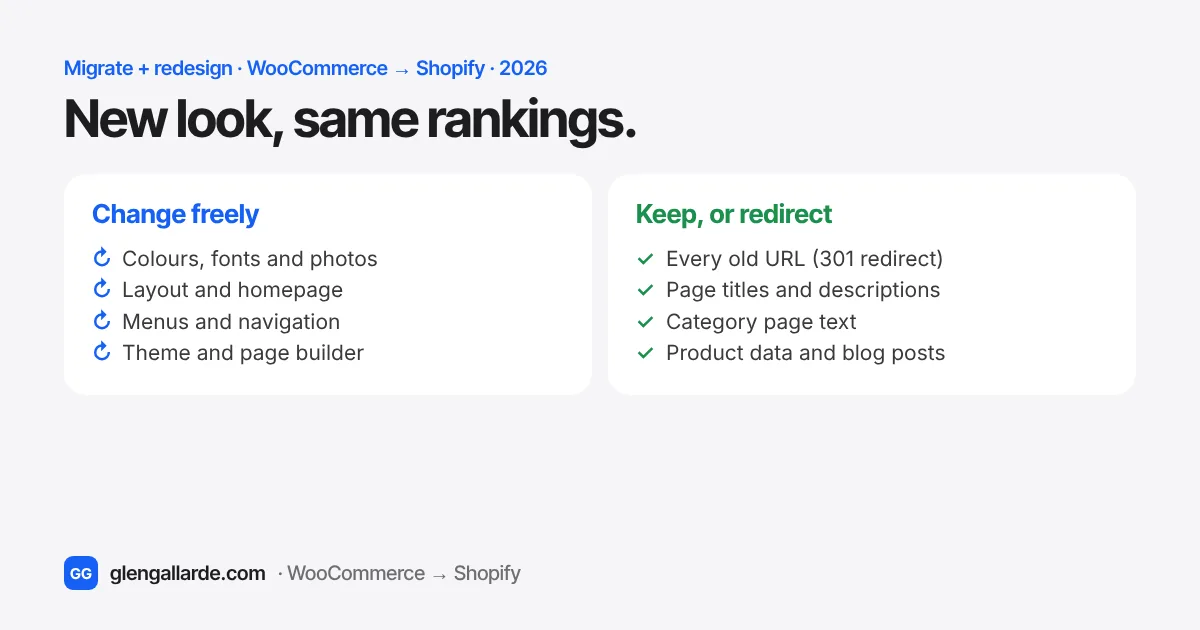
Rankings don't fall because a page looks different. They fall when the page Google knew disappears, moves without a redirect, or loses the words it ranked for. So separate the two jobs.
| Change freely | Keep, or redirect with care |
|---|---|
| Colours, fonts, photos and layout | Every old URL, with a 301 redirect to its new address |
| Homepage sections and order | Page titles and meta descriptions on pages that get search traffic |
| Menus and navigation | The text on category pages, which often ranks better than product pages |
| Product page layout and buttons | Product names, descriptions, images and alt text |
| Theme and page builder | Blog posts that bring visitors, moved with their content intact |
Before you design anything, export your top pages from Google Search Console for the last 12 months. Those pages, and the words they rank for, need a clear home in the new design. The SEO migration guide and the redirects guide cover the details.
Theme choices: free, paid or custom
| Option | Good for | Watch out for |
|---|---|---|
| A free Shopify theme, customised | Most stores. Shopify's own themes are fast, well supported and updated by Shopify. With good photos and careful layout they look premium. | You need a designer's eye for the details, or the store looks like everyone else's. |
| A paid Theme Store theme | Stores that want a particular layout or feature built in, such as a mega menu or lookbooks | A one-off licence per store, and updates come from the theme maker |
| A fully custom theme | Large brands with a design team and a budget for upkeep | Costs more to build, and every future change needs a developer |
For most owners, especially family businesses that want low running costs, a customised free or paid theme is the right call. Your team can edit pages in Shopify's theme editor without a developer, and the theme keeps getting updates. Custom code should be kept for the few things no theme setting can do.
The order of work
- List what exists. Pages, categories, products, blog posts, plugins, and the pages that bring traffic and sales.
- Agree the structure. Navigation, collections and which old pages map to which new ones.
- Design the key pages. Homepage, collection page, product page and cart, on desktop and phone. Approve these before anything is built.
- Build the theme on a Shopify store that isn't public yet, while WooCommerce keeps selling.
- Move the data. Products, customers, orders, reviews and blog posts, then check the counts.
- Test everything. Real test orders, emails, shipping, taxes and every redirect.
- Launch in a quiet hour, then watch orders and Search Console daily for a few weeks.
The step that saves the most money is number 3. Changing a design is cheap. Changing a built theme isn't.
What it costs and how long it takes
A redesign adds design time and an approval round to the migration. My migration with a redesign starts at $3,495, against $1,495 for a migration that keeps a standard theme setup. Stores with subscriptions, custom plugins or two brands are quoted after the free audit. The cost guide compares freelancer and agency prices, and the timeline guide shows how long each phase takes.
Most of the extra time is waiting for feedback, not building. If you can review designs within a day or two, a redesign adds less time than you'd expect.
Questions
Should I redesign my store when I move to Shopify?
Usually, yes. You have to build a Shopify theme anyway, so designing it properly costs little extra, and you only retrain your team and test checkout once. Hold off if you must move urgently, can't review designs soon, or your busy season is about to start.
Will a redesign hurt my Google rankings?
Not on its own. Rankings drop when URLs change without redirects or when pages lose the content they ranked for. Keep page titles, category text and product content, redirect every old URL, and the new design itself won't cause a drop.
Can a free Shopify theme look premium?
Yes. Shopify's free themes are well built and fast, and a premium feel comes mostly from photography, type, spacing and well-written product pages. A careful customisation of a free theme often looks better than a paid theme left on its defaults.
How much does a Shopify migration with a redesign cost?
With me, from $3,495 for a store with up to about 1,000 products, with complex features quoted after a free audit. Agencies commonly charge several times that. The design approval round is included before anything is built.
Should I keep my old URLs when I redesign?
Shopify uses its own URL patterns, such as /products/ and /collections/, so most WooCommerce URLs change anyway. What matters is that every old URL has a 301 redirect to the closest new page, so visitors and Google never hit a dead end.
Sources
- Google Search Central, moving a site with URL changes
- Shopify Help Center, themes and URL redirects
- Shopify Theme Store, free themes